
Download Photopus Pro – Image Conversion, Bulk Editing, Format Support
Overview
Photopus Pro is a specialized mobile application designed to simplify the management and enhancement of multiple images in a single workflow. Tailored for users who regularly handle large volumes of visual content, the app excels in automating repetitive tasks such as resizing, renaming, and applying visual effects. Its core purpose is to reduce the time and effort required to process image batches, making it a practical solution for photographers, content creators, social media managers, and small business owners who rely on consistent image output.
The app supports a broad range of image formats, including common types like JPG, PNG, GIF, and BMP, as well as RAW files from various camera brands, ensuring compatibility across different workflows. This versatility allows users to process images without the need for external conversion tools, streamlining their digital asset management. The developer did not provide additional background information, but the app’s functionality suggests a focus on efficiency and usability.
Real-world use cases include preparing images for websites, organizing photo libraries, or creating branded content with watermarks and date stamps. In the mobile app ecosystem, Photopus Pro fills a niche by offering a compact yet powerful tool for batch processing—something often missing in standard image editing apps.
Key Features & Functionality
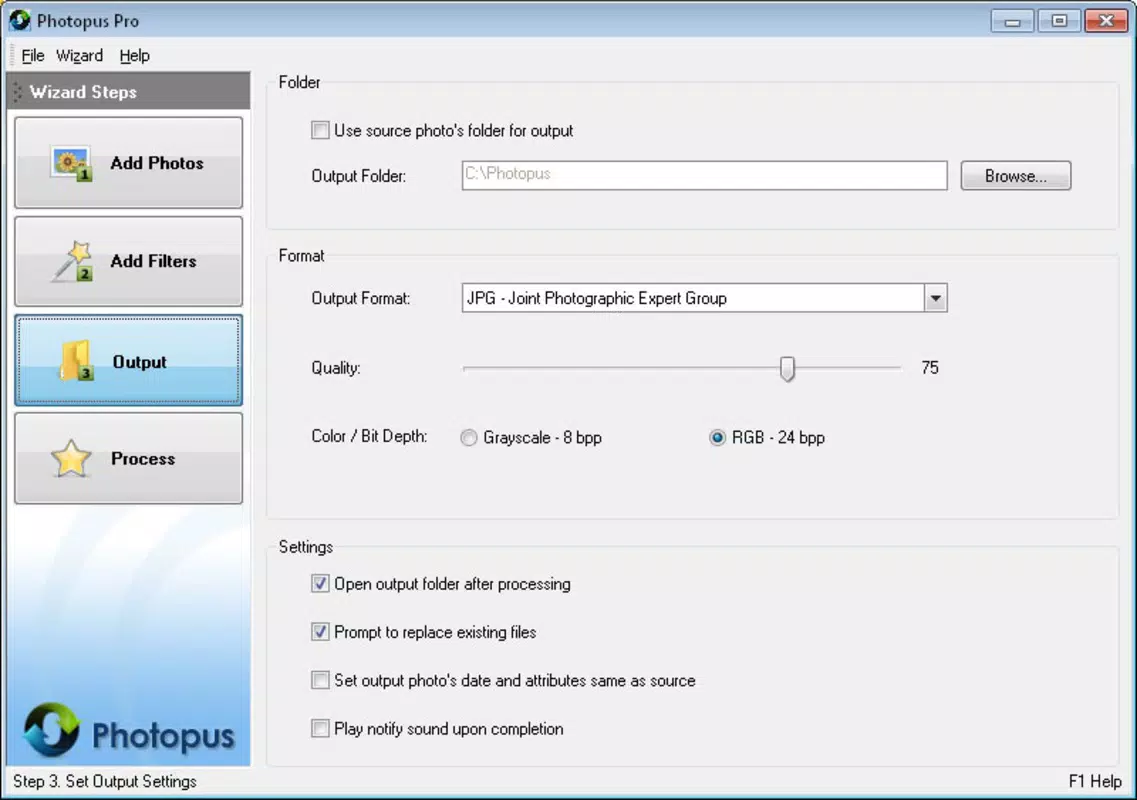
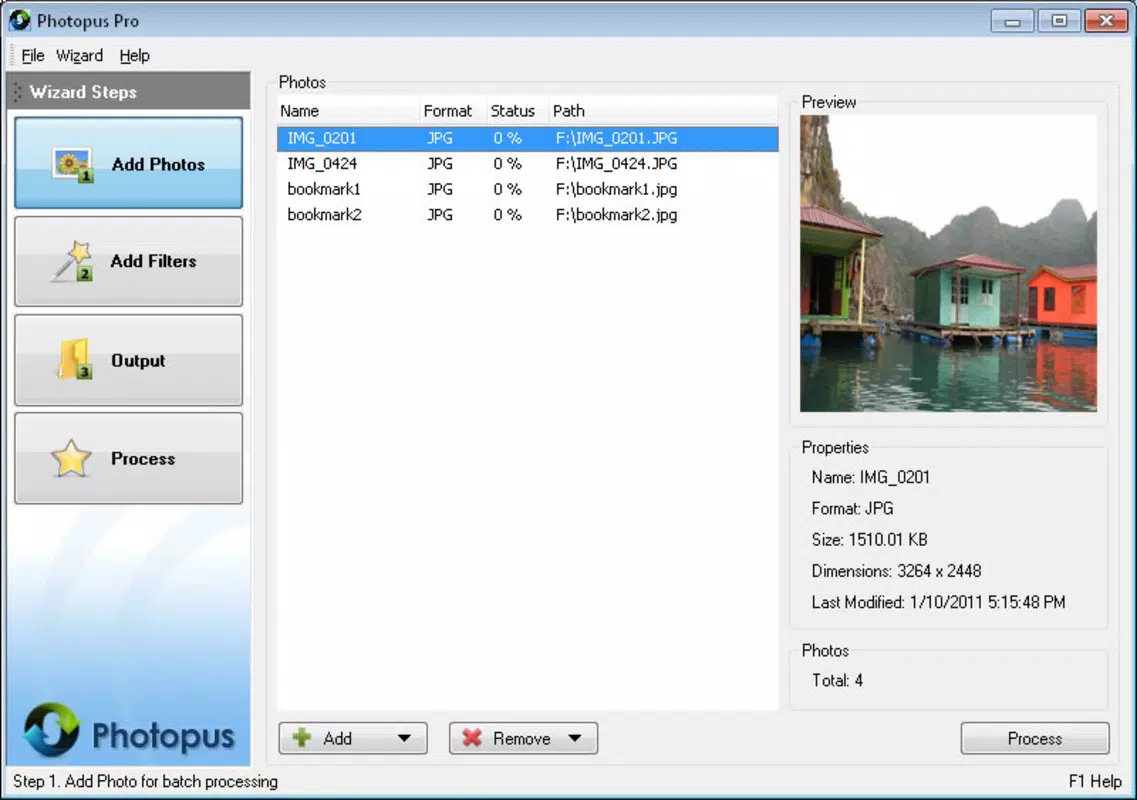
- Bulk Image Processing: Users can select entire folders of images and apply modifications—such as resizing, renaming, or format conversion—in one operation. This eliminates the need for manual, one-by-one editing, significantly improving workflow efficiency.
- Versatile Format Support: The app handles a wide variety of image types, including JPG, PNG, GIF, BMP, and RAW files from multiple camera manufacturers. This ensures compatibility with both standard and professional-grade image sources.
- User-Friendly Interface: Designed with simplicity in mind, the interface allows users of all experience levels to navigate tools and settings without confusion. Even those unfamiliar with image editing software can operate the app effectively.
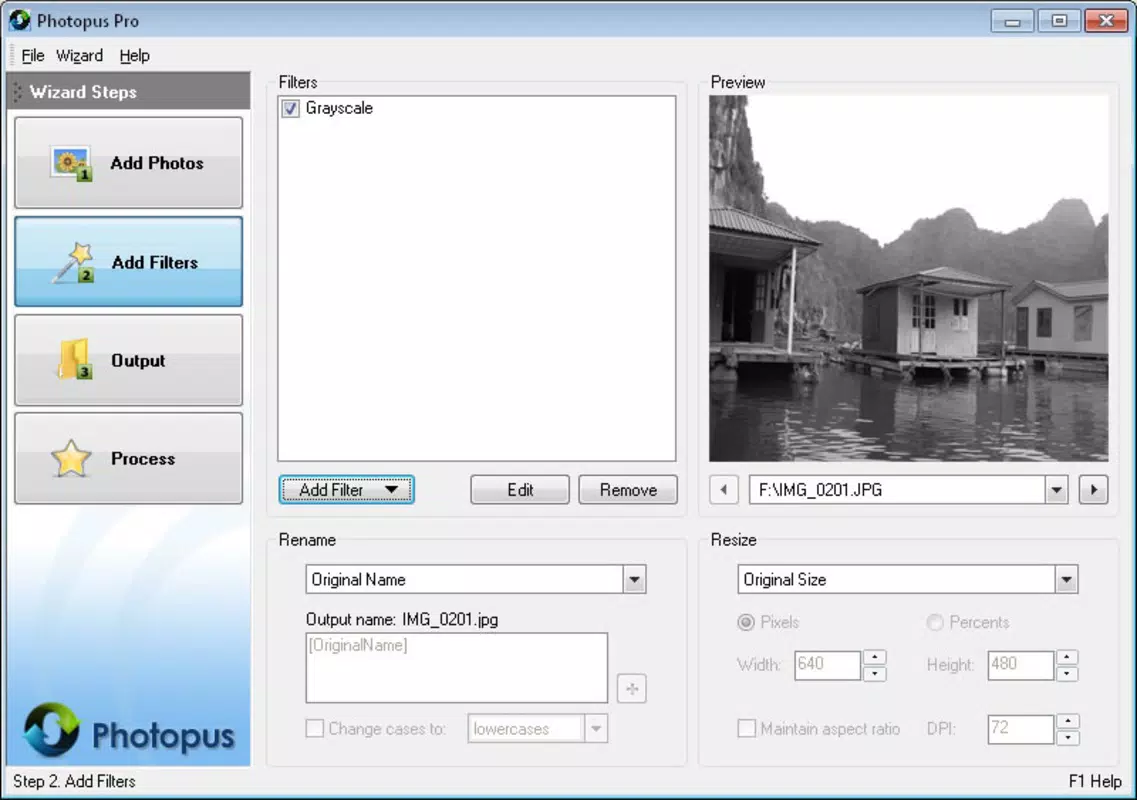
- Editing Adjustments and Effects: Beyond basic conversions, Photopus Pro enables users to apply effects like grayscale, blur, and red-eye removal. It also supports cropping and watermarking with both text and image overlays.
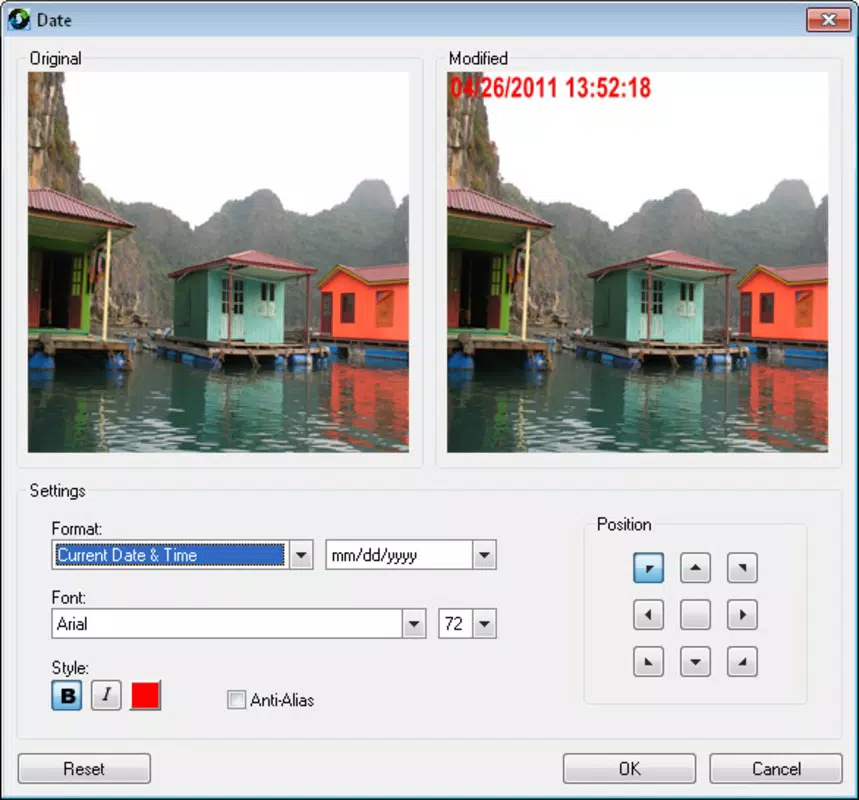
- Customization Options: Users can embed personalized data such as date stamps and custom watermarks, which is ideal for branding, copyright protection, or organizing photo archives.
For example, a social media manager could use the app to resize 100 product images to a uniform dimension, rename them according to a naming convention, and add a company logo watermark—all in under five minutes. Similarly, a photographer could batch-convert RAW files to JPG while applying a consistent color profile, saving hours of manual labor.
Interface, UX & Performance
Photopus Pro features a clean, minimalistic interface that prioritizes accessibility and workflow clarity. The layout organizes tools into logical sections, with intuitive icons and straightforward menu navigation. Users can easily switch between tasks such as selecting files, choosing processing options, and previewing results.
The app maintains a responsive design across various screen sizes, ensuring consistent usability on both smartphones and tablets. Although the developer did not list formal performance metrics, the app’s ability to process large batches suggests optimized background handling and efficient memory usage. Stability appears to be a focus, as the app handles multiple file operations without reported crashes or freezes.
The interface remains smooth during batch processing, with progress indicators that keep users informed. While specific device compatibility details were not disclosed, the app is likely designed to function reliably on mid-to-high-end Android and iOS devices. The absence of lag or delay during file operations indicates solid performance under typical usage conditions.
Overall, the user experience is streamlined and focused on task completion rather than visual complexity.
Platform Compatibility & Technical Requirements
Photopus Pro is available on both Android and iOS platforms, making it accessible to a wide range of mobile users. The app supports the latest versions of these operating systems, ensuring compatibility with current devices. The file size is listed as 25.8 MB, which is relatively lightweight for a feature-rich image processing tool.
This compact size suggests efficient code optimization and minimal bloat. Specific OS version requirements were not provided by the developer, nor were any hardware specifications such as RAM or processor type. The developer did not specify minimum OS requirements, so users should ensure their device meets general system standards for running modern mobile applications.
The app is designed for mobile use, with touch-friendly controls and optimized layouts for smaller screens. While no detailed technical details were shared, the app’s functionality and size indicate it is built for everyday mobile performance without excessive resource demands.
Pros and Cons
Pros
- Efficient bulk processing for large image sets
- Supports a wide range of image formats, including RAW files
- Intuitive interface suitable for beginners and experts
- Offers customizable effects, watermarks, and date stamps
- Lightweight file size for fast installation and updates
Cons
- Developer did not provide detailed system requirements
- No information on cloud integration or sync features
- Specific performance benchmarks were not disclosed
- Updates and future feature roadmap were not announced
- Compatibility with older devices was not confirmed
FAQ
Is Photopus Pro safe to download and install?
The app is designed for mobile use and is available through official app stores. It does not require root or jailbreak access, and no third-party permissions are reported. Users should always download from trusted sources to ensure security.
Can I use Photopus Pro on both Android and iOS?
Yes, the app is available on both Android and iOS platforms, allowing users to process images across different devices.
Does Photopus Pro support RAW image files?
Yes, the app supports RAW formats from various camera brands, enabling direct processing without conversion.
How does the batch processing feature work?
Users can select multiple images or an entire folder and apply the same set of edits—such as resizing, renaming, or adding watermarks—in a single operation.
Is there a free version of Photopus Pro?
The provided information does not specify a free version. The app may be available as a paid download or with in-app purchases, but no pricing details were included.
Final Thoughts
Photopus Pro stands out as a focused, efficient tool for users who manage large volumes of images on their mobile devices. Its ability to handle batch processing with advanced formatting and customization options makes it a valuable utility in digital workflows. Whether you're a content creator, photographer, or business professional, the app delivers tangible time savings and consistent output quality.
The clean interface and broad format support enhance usability, while the lightweight design ensures smooth performance. Although some technical details are missing, the app’s functionality speaks to a well-thought-out design. For anyone seeking a reliable mobile solution for image management, Photopus Pro offers a compelling mix of power and simplicity.
Download Photopus Pro now.


